Optimizely developer for hire
I write Optimizely Web variation code for UK enterprise retailers and DTC brands. Most of the work has been on Screwfix's Next.js Pages Router site, where three sitewide tests passed first-time engineering review. Variants ship with SPA awareness and accessibility built in, and stay within Core Web Vitals budgets. Available for direct briefs and as overflow capacity for CRO agencies running Optimizely programmes.
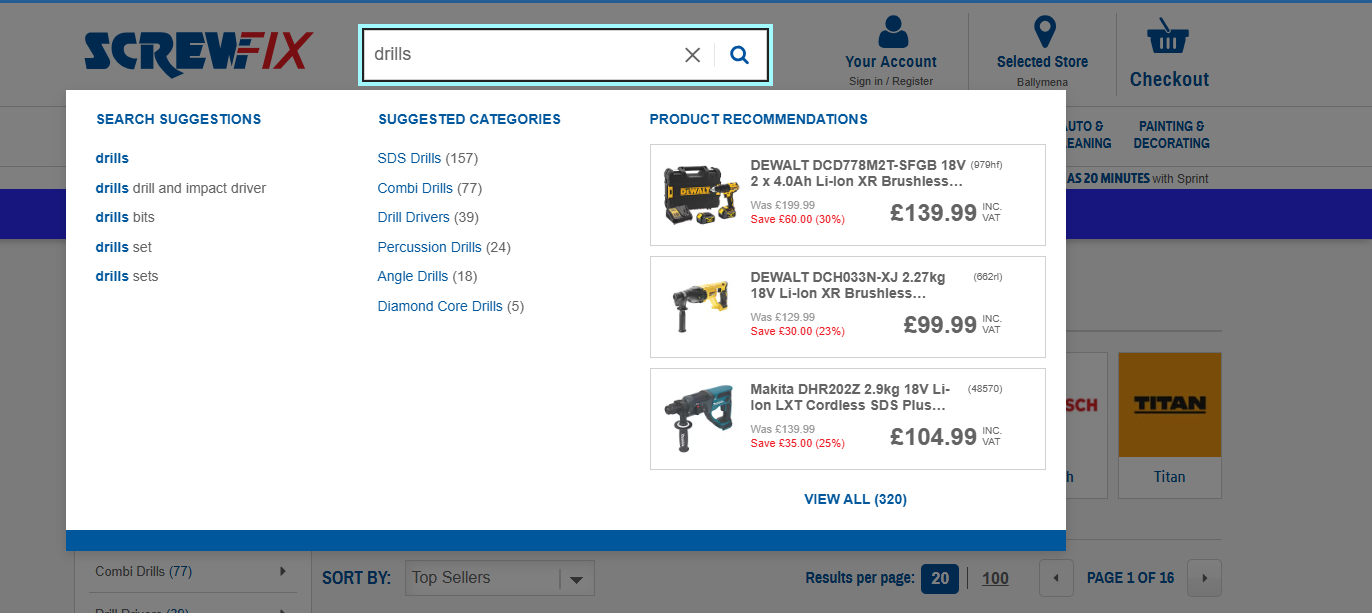
Brands shipped on Optimizely

Why a generic platform dev falls short on Optimizely
A lot of Optimizely variation code works fine in the editor preview and falls apart in production. SPA route changes never re-trigger the experiment. Late-rendering DOM elements miss the variation entirely. The handover doc is incomplete, the audience conditions are wrong for the tech stack, and the client engineering team bounces the build before the test even starts.
A platform-specialised dev knows where Optimizely's defaults break. The snippet doesn't get trusted to handle SPA routing alone. Variation code is written to survive a hostile DOM and ship with the accessibility patterns the brief leaves out, because client engineering will check both. The result is a test that passes first-time review and produces clean data, rather than one that ships, breaks, and gets rolled back within 72 hours.
Case studies on Optimizely
Six things that come up on every Optimizely project
Optimizely's SPA support has gaps you only hit in production
Optimizely Web supports SPAs in its documentation, and that's accurate in the basics. The targeting mechanics are where it breaks. Set the audience to target a PDP path on Next.js Pages Router and a user who direct-lands on a PDP gets bucketed correctly. A user who lands on the homepage and clicks through to a PDP never gets bucketed at all, because the audience evaluation happened on initial page load. Removing the variant UI on navigation away is a separate problem Optimizely doesn't solve either. The pragmatic fix is to bypass Optimizely's audience targeting, run the experiment on every page (audience: everyone, every URL), and decide in code when to apply or tear down the variant.
SPA route changes don't activate experiments
Optimizely's snippet activates once on initial page load. Route changes after that happen client-side without firing a new pageload event. Without a custom URL change detector, the variation either persists into pages where it shouldn't or breaks because the elements it expected are gone. I use a MutationObserver pattern that re-runs the experiment on every URL change, with a hydration delay so React's reconciliation pass finishes before the variant mounts.
Late-rendering DOM elements miss the variation
Optimizely's applyChange() runs once at activation. If the target element hasn't
mounted by then (lazy-loaded carousels, async-fetched recommendations, anything behind a network
round trip), the change never applies. The test runs but the variant looks identical to control.
I use a polling utility with a MutationObserver fallback and a configurable timeout,
so the change applies whenever the element finally renders.
React's controlled inputs ignore variation code
Setting input.value = 'x' in variation code doesn't trigger React's
onChange handler. Form state diverges from visual state and the test reports nothing
useful. The fix is the native input descriptor pattern: pull the original value setter off
HTMLInputElement.prototype, call it with the React-controlled input, then dispatch
a bubbling input event so React's synthetic system picks up the change.
// Bypass React's overridden value setter so onChange actually fires
const setReactInputValue = (input, value) => {
  const nativeSetter = Object.getOwnPropertyDescriptor(
    window.HTMLInputElement.prototype,
    "value"
  ).set;

  nativeSetter.call(input, value);
  input.dispatchEvent(new Event("input", { bubbles: true }));
};
Variation code can wreck Core Web Vitals
Variation code that mutates layout after first paint causes Cumulative Layout Shift. Google penalises that in rankings, and brand teams pull tests that show up red in their CWV reports. I keep variation code under 50ms total execution and prefer class-name additions over inline style mutations, so layout changes paint in the same frame as the rest of the page. Skeleton loaders with matched dimensions keep CLS contribution at zero during async data fetches.
New interactive elements skip accessibility
Variations that add modals, overlays, or interactive components need focus traps, ARIA roles, and
keyboard parity. The strategist's brief almost never mentions these. Skip them and the variant
fails accessibility review when client engineering examines the build. I ship these by default:
focus traps with AbortController cleanup, proper ARIA roles, aria-modal
attributes, keyboard escape handling, and screen-reader sanity checks before handover.
How I work on Optimizely projects
Briefs start with a short intake: scope, hypothesis, audience, expected lift, leading indicator. Variation code is written against your existing engineering conventions where they exist, and to pass review where they don't. Cross-browser self-QA before handover. Accessibility pass: focus order, keyboard parity, ARIA roles, screen-reader sanity. The handover doc covers the Optimizely audience configuration, custom events, goal mapping, and how the code is organised.
I work UK and EU business hours, every business day. Live on Slack and email through your working day, so I'm online when your strategist and engineering team are. For Canadian clients, UK afternoons overlap with Toronto mornings, so morning standups still work.
Other CRO platforms I ship on
Hire an Optimizely developer
For Optimizely Web builds, overflow capacity for CRO agencies, or to discuss a specific test idea. I respond within one UK business day.