Exit intent that works on mobile, not just desktop
You copy the exit-intent snippet, it fires nicely when the cursor heads for the close button, and you ship. Then you check the data and half your traffic never triggered it, because they were on phones and a phone has no cursor to chase. Exit intent is not one trick. It is a different signal on each device, fired once, and built so it does not become the thing people leave over.
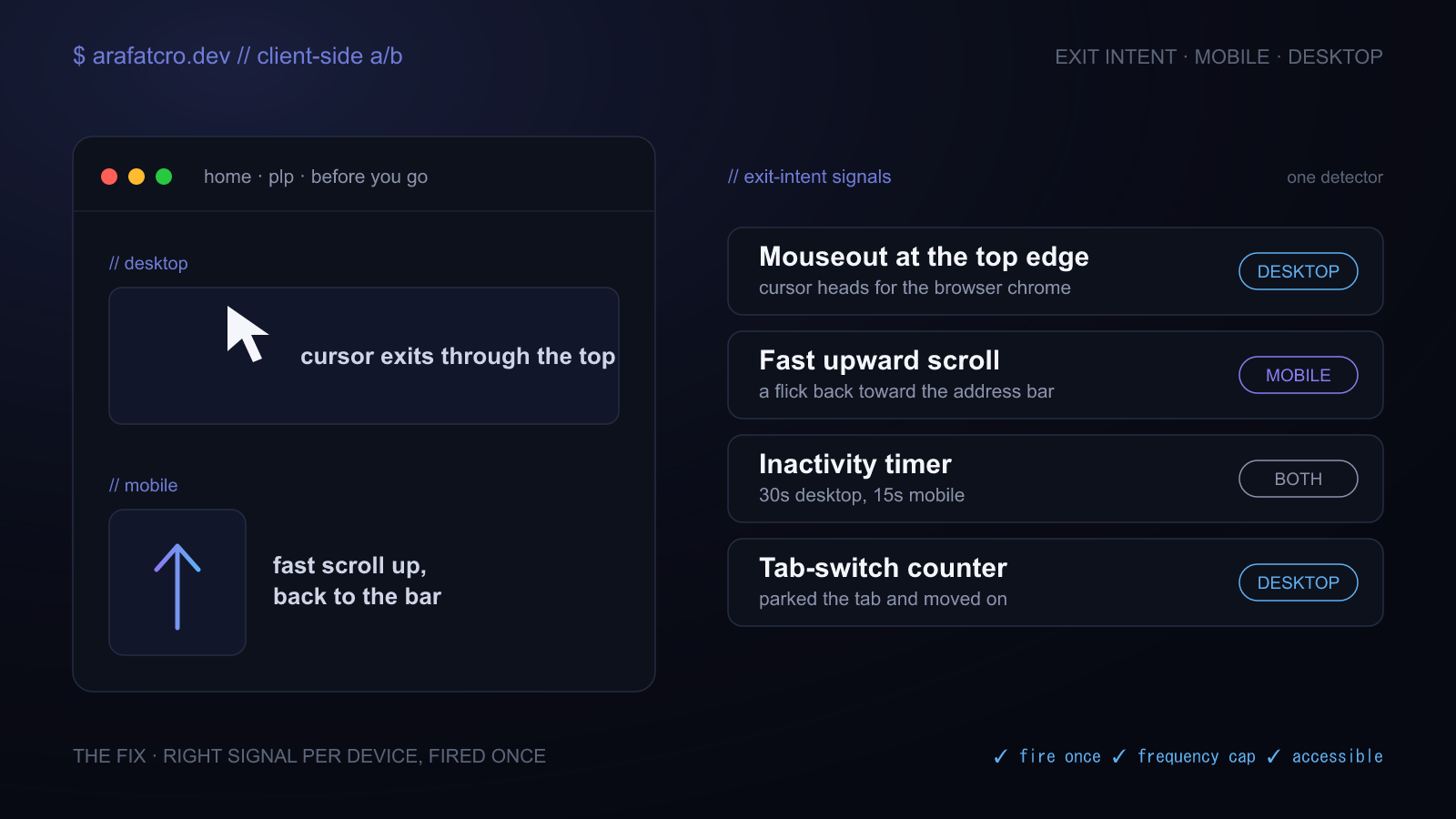
The trick everyone copies
The standard exit-intent snippet listens for the mouse leaving the top of the page. When the cursor crosses the top edge, heading for the tab bar, the back button, or the close control, you call it intent to leave and show your overlay. On desktop it works, and it is genuinely useful for a last-chance offer or a "before you go" path.
The problem is that this signal only exists on a device with a pointer. On a phone or a tablet there is no cursor, nothing ever leaves the top of the viewport, and that single listener never fires. So the most common exit-intent implementation does nothing for anyone on a phone, which on a lot of sites is more than half the traffic. Nobody notices, because it looks like it is working on the desktop where you tested it.
Why mouseout alone is not enough
Leave intent shows up differently depending on what the visitor is holding. On desktop it is the cursor arcing toward the browser chrome. On touch there is no equivalent, so you read it from behaviour instead: a fast flick upward toward the address bar, a stretch of doing nothing, or the back gesture. None of these is as crisp as the desktop signal, so you treat them as softer hints and tune the thresholds rather than firing on the first twitch.
The fix is to detect the device and use the signal that exists on it, behind one helper so your variation code does not care which fired.
// One detector, the right signal per device. Fires once, cleans up.
function exitIntent(callback, {
  sensitivity = 20,        // px from the top edge that counts as "leaving"
  mobileScrollDelta = 60,  // px of fast upward scroll that counts as a flick
  idle = 0,                // ms of inactivity before firing (0 = off)
  once = true,
} = {}) {
  let fired = false;
  let lastY = window.scrollY;
  let idleTimer;

  function teardown() {
    document.removeEventListener("mouseout", onMouseOut);
    window.removeEventListener("scroll", onScroll);
    clearTimeout(idleTimer);
  }

  const trigger = () => {
    if (fired) return;
    if (once) fired = true;
    teardown();
    callback();
  };

  const onMouseOut = (e) => {
    // Real viewport exit only: cursor above the top edge, not into an iframe.
    if (!e.relatedTarget && e.clientY <= sensitivity) trigger();
  };

  const resetIdle = () => {
    clearTimeout(idleTimer);
    idleTimer = setTimeout(trigger, idle);
  };

  const onScroll = () => {
    const y = window.scrollY;
    if (lastY - y > mobileScrollDelta) trigger(); // fast flick upward
    lastY = y;
    if (idle) resetIdle();
  };

  document.addEventListener("mouseout", onMouseOut);
  window.addEventListener("scroll", onScroll, { passive: true });
  if (idle) resetIdle();

  return teardown;
}
This is the version I keep in ab-test-helpers, a small set of dependency-free helpers for client side tests. The desktop branch fires on a true viewport exit, the touch branch fires on a fast upward scroll, and an optional idle timer covers the visitor who simply stops. It returns a teardown so you can cancel it the moment the visitor converts.
Fire once, and do not nag
An overlay that reappears on every page, or on every visit, stops being a save and becomes the reason someone leaves. Two guards keep it civil. Fire the detector at most once per session, and remember a dismissal so a visitor who already said no is not asked again. A frequency cap keyed to storage holds it to once per session or once per N days.
// Gate the overlay so a visitor sees it at most once.
function allowOncePerDays(key, days = 7) {
  const name = `fc_${key}`;
  try {
    const until = Number(localStorage.getItem(name) || 0);
    if (Date.now() < until) return false;
    localStorage.setItem(name, String(Date.now() + days * 864e5));
    return true;
  } catch (e) {
    return true; // storage blocked: do not suppress
  }
}

// once per session, plus the frequency cap above
exitIntent(() => {
  if (sessionStorage.getItem("exit_dismissed") === "1") return;
  if (!allowOncePerDays("exit_offer", 14)) return;
  showOverlay();
}, { idle: 20000 });
Persist the dismissal when the visitor closes the overlay (sessionStorage.setItem("exit_dismissed", "1")),
and the same person will not see it twice in a session even as they move between pages.
It is a modal, so make it accessible
An exit-intent overlay is a dialog, and it gets dialog responsibilities. Trap focus inside it while it
is open, return focus to where it was when it closes, let Escape dismiss it, and give it
the ARIA roles a screen reader needs to announce it. Skip these and a keyboard user is either trapped
behind it or lost on the page underneath. The
accessible variants guide has the focus trap that
pairs with this.
Measure the intent, not just the impression
Fire an analytics event when leave intent is detected, separate from whether the overlay rendered. That way the control group logs exit intent too, and you can measure how often it actually happens and how the variation changed what people did, instead of only counting the ones who saw the modal. Detection and presentation are two events, not one.
How this played out on a real build
This came from an exit-intent overlay I built for Screwfix on product listing and product pages. It ran
on a custom ExitIntent class with no third-party dependency, and it read several signals
rather than one: mouse trajectory toward the tabs and close area on desktop, an inactivity timer set
to 30 seconds on desktop and 15 on mobile, a scroll-speed threshold, and a tab-switch counter for
people bouncing between tabs. A fireOnce flag held it to one trigger per session, and an
onExit callback logged the leave for analytics whether or not the modal showed.
The overlay itself was gated to listing and product pages only, dismissal persisted for the session
through sessionStorage, and the whole thing sat behind a focus trap with full keyboard
parity. The thresholds differed by device on purpose, because the behaviour that means "leaving" on a
desktop is not the behaviour that means it on a phone. The
full case study walks through the build.
Exit-intent signals compared
| Signal | Works on mobile? | False positives | Use when |
|---|---|---|---|
| Mouseout at the top edge | No, there is no cursor | Low on desktop | The core desktop signal |
| Fast upward scroll | Yes | Medium, tune the threshold | The main touch signal |
| Inactivity timer | Yes | Medium, a pause is not always leaving | A backstop on both, longer on desktop |
| Tab-switch counter | Partly | Low | Catching people who park the tab |
| Combined, device-aware | Yes | Lowest, each signal scoped to where it fits | The default for a real test |
Common questions
Does exit intent work on mobile?
Not with the usual mouseout trick. A phone has no cursor, so the pointer never leaves the top of the viewport and the desktop signal never fires. On touch you infer leave intent from other behaviour: a fast upward scroll toward the address bar, a spell of inactivity, or the back gesture. Detect the device and use the signals that exist on it.
How do I detect exit intent without a library?
On desktop, listen for mouseout where relatedTarget is null and
clientY is at or above the top edge. On touch, watch for a fast upward scroll and an
inactivity timer. Wrap both in one helper that picks the right signal per device, fires a single
callback, and removes its listeners once it has fired.
How do I stop the popup showing on every page?
Fire the detector at most once per session, and persist a dismissal so a visitor who closed it does not
see it again. A fireOnce flag stops repeat triggers within a page,
sessionStorage remembers the dismissal across navigations, and a frequency cap keyed to a
cookie or storage holds it to once per session or once per N days.
Are exit-intent popups bad for accessibility?
Only if you skip the basics. The overlay is a modal, so it needs a focus trap, an Escape to close, focus returned on close, and ARIA roles so a screen reader announces it. Get those right and it is as accessible as any dialog.
Can I measure exit intent without showing a popup?
Yes, and you should. Fire an analytics event when leave intent is detected, separate from whether the overlay rendered, so the control group logs it too. Then you are measuring how often exit intent happens and how the variation changed behaviour, not just counting impressions.
The short version
Exit intent is not the mouseout line you copied off an old blog post. It is a desktop signal plus a couple of touch signals, behind one detector that fires once. Cap it so it does not nag, build it as a real dialog with a focus trap, and log the detection separately from the popup. Do that and it works for everyone, not just the half on a laptop.